
Product tour
Built like the tablet in the flight deck.
PerfDeck reproduces the complete performance workflow: My Flight, TAKEOFF and LANDING screens, two results pages, runway graphic and MCDU page. Below, every function with the screen it lives on.
Screen 1
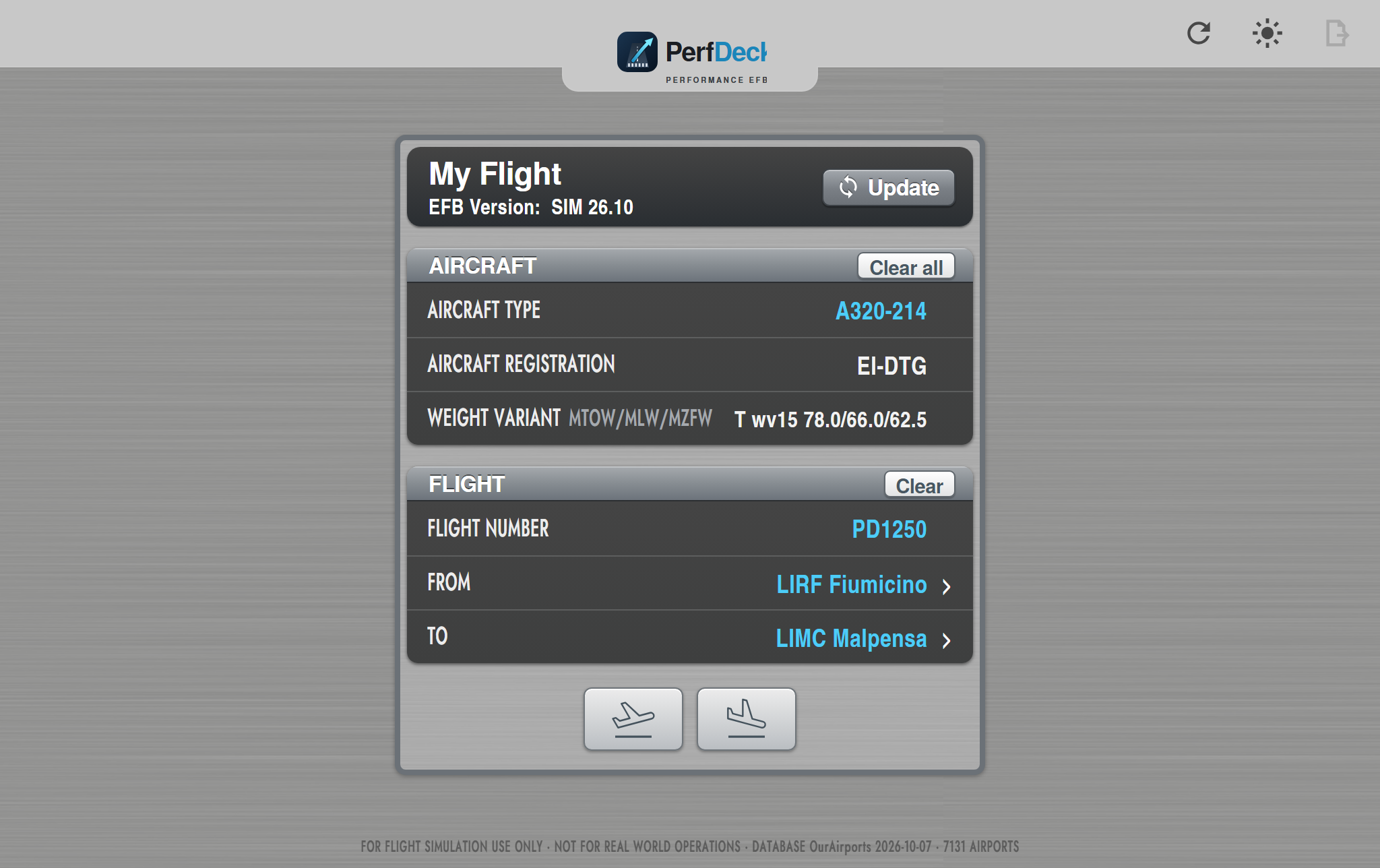
My Flight
- Aircraft type: A320-214 (CFM), A320-232 (IAE), A319-112/132, A321-211/231
- Registrations and standard weight variants (MTOW / MLW / MZFW), or custom weights from your OFP
- Flight number, FROM / TO with 7,131 airports
- Update: one tap imports your latest SimBrief OFP automatically (aircraft, registration, weights, planned runways, official declared distances TORA / TODA / ASDA / LDA) with the SimBrief ID saved in your account
- Your standard settings (STD) for thrust, flaps, anti-ice, landing CONF, reversers… chosen once in your account
Screen 2
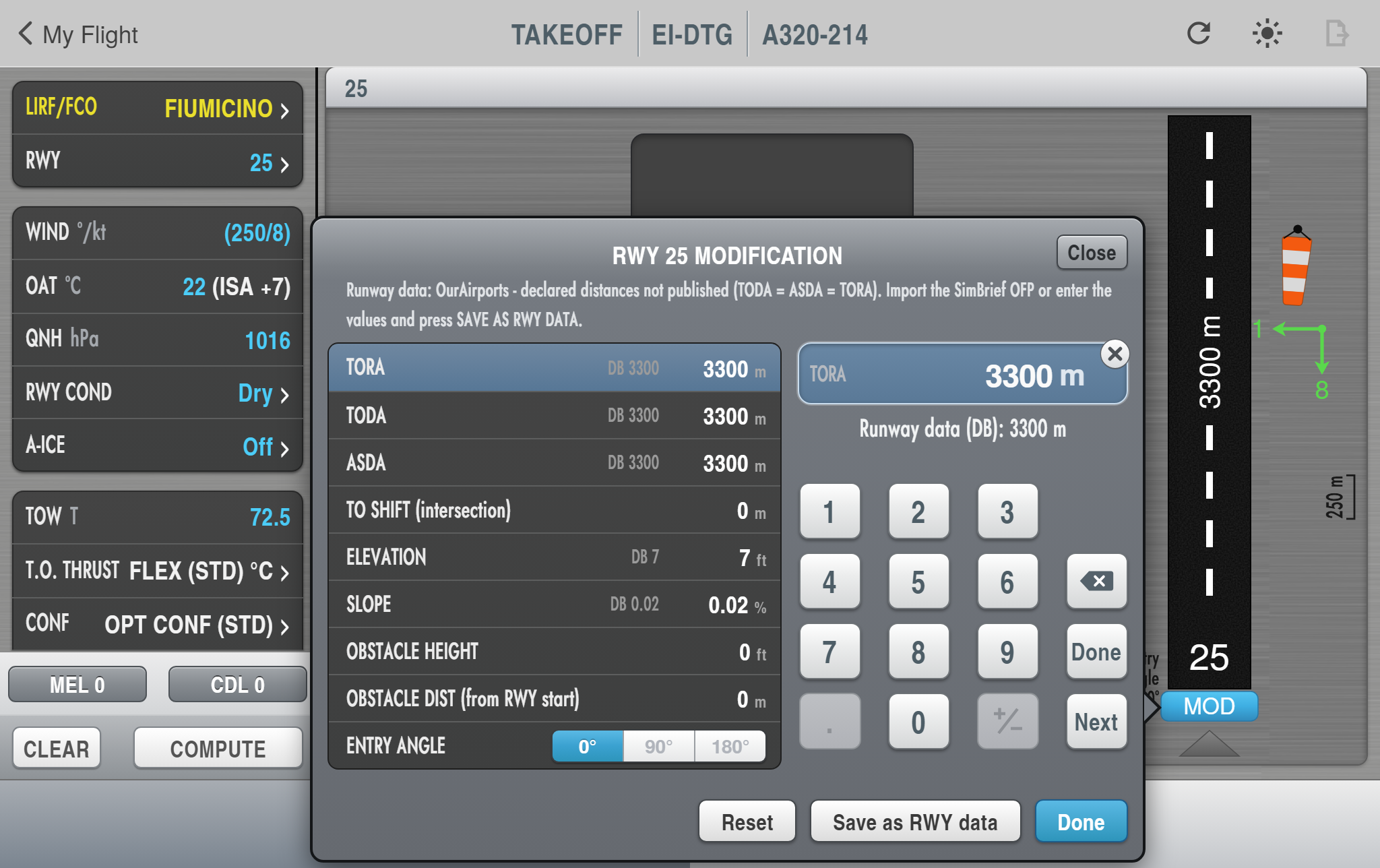
Take-off entry and runway graphic
- Runway list with declared distances and their source (database, your OFP, your own corrections)
- Guided entry: wind with gusts, OAT, QNH, runway condition (dry, wet, water, slush, snow, ice, braking action), anti-ice, TOW, thrust, CONF, air conditioning
- MOD: NOTAM shortening, intersection / T.O. shift, displaced threshold, elevation, slope, obstacle, line-up angle — and Save as RWY data
- MEL and CDL items with performance penalties
Results
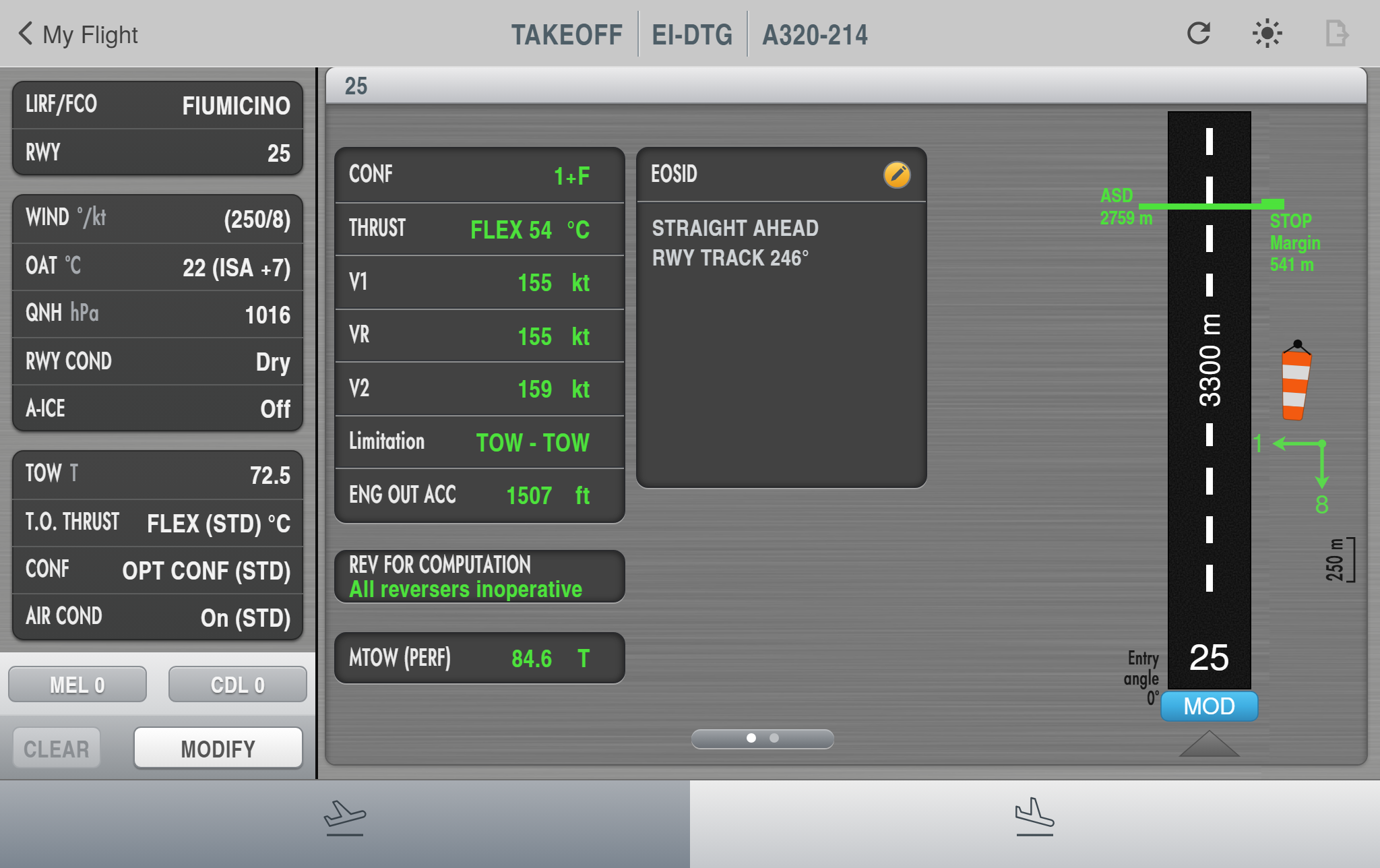
Take-off results and MCDU page
- CONF, FLEX / TOGA, V1 / VR / V2, limitation code, ENG OUT ACC, MTOW (perf), reversers assumption
- Accelerate-stop distance and stop margin drawn on the runway
- EOSID box with your engine-out procedure per runway (editable, import / export)
- Messages: crosswind, FLEX not possible, performance limits
- Page 2: MCDU PERF TAKE OFF ready to copy
Screen 3
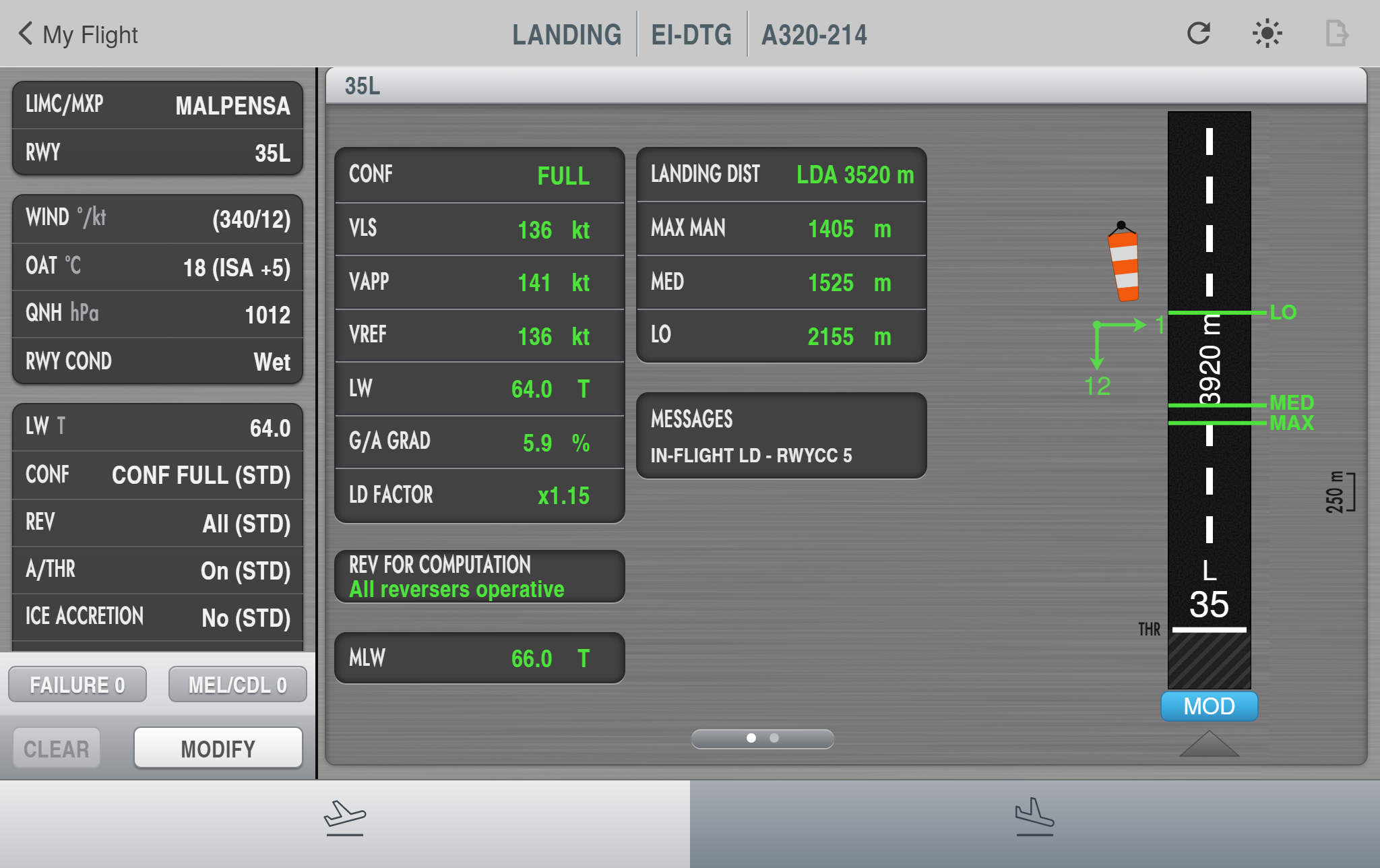
Landing
- Landing weight, CONF FULL / 3, reversers, A/THR, ice accretion, autoland, selected VAPP
- Runway condition codes RWYCC 6 → 1 (Global Reporting Format)
- In-flight failures: hydraulics, flaps / slats, spoilers, brakes, electrical — with landing configuration and ΔVREF
- VLS, VAPP, VREF, go-around gradient, factored landing distances for MAX MAN, MED and LO with stop positions on the runway
- Page 2: MCDU APPR page ready to copy
Platform
PC and tablet, one account
Nothing to install
PerfDeck runs in the browser: sign in with Discord and it opens in Edge, Chrome, Safari or Firefox. Updates are instant, and your SimBrief ID and standard settings follow your account on every device.
iPad & Android tablets
Open the same address on the tablet and add it to the home screen for a full-screen EFB, wherever you are.
Any A320-family add-on
PerfDeck is independent from the simulator. You read the numbers and enter them in the MCDU, like the crews do.
Flight simulation only. PerfDeck is not a certified performance tool and must never be used for real-world flight planning or operations. See the Disclaimer.